
Search by attributes
Upper and lower clothing color, accessories such as backpacks, bags and umbrellas, vehicle type and color, plus animals and loose objects.
AI for cameras
Nexa VMS Smart Search finds people, vehicles, animals and objects in CCTV recordings by clothing color, accessories, vehicle type or a text description, without watching hours of video. It works with the IP cameras you already have, through ONVIF and RTSP, and the analysis runs on the AI server.
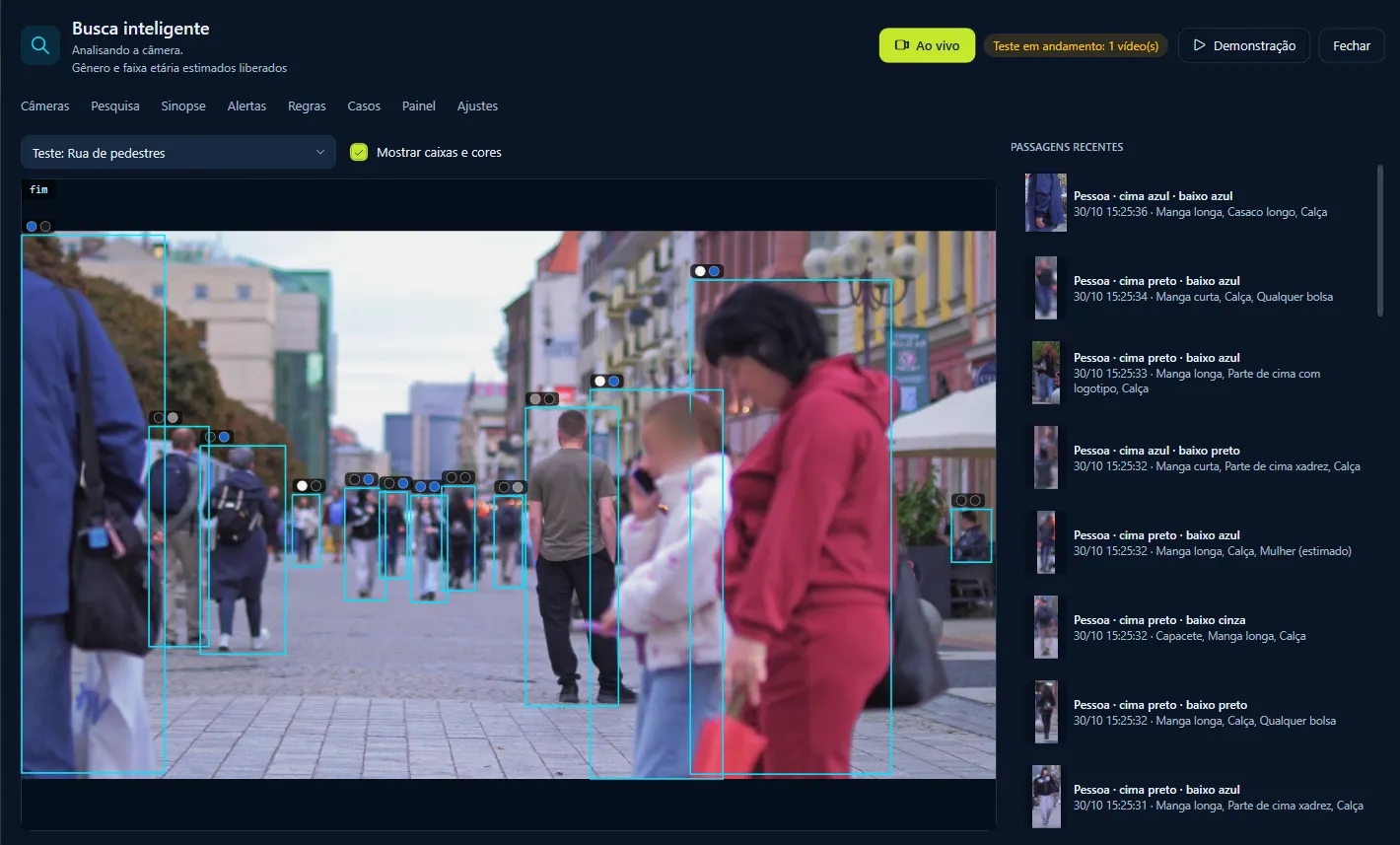
Upper and lower clothing color, accessories such as backpacks, bags and umbrellas, vehicle type and color, plus animals and loose objects.
The operator types what they are looking for, such as "man in a red shirt with a backpack", and the search combines the text with the attributes measured in each appearance.
For those who prefer choosing to typing: who, clothing, colors, object and vehicle, step by step, with only what the AI actually recognizes.
Each result shows the camera, the time and the image, and opens the recording at the exact second. The timeline shows when activity peaked.
Video synopsis shows the appearances of a period in a short clip. A description can also become a live alert rule.
With AI following every camera, 24 hours a day, each appearance is already described when the investigation starts. We also develop custom models.
Nexa VMS was designed for AI to work on every camera, all the time, and bring the operator only what needs attention. It is not a VMS with AI on a few cameras.
How the AI VMS worksIt is searching recordings by the characteristics of what appears in the image, such as clothing color, accessories or vehicle type, instead of watching the whole video. It is also called forensic video search.
Yes. Text search understands descriptions in English, Portuguese and Spanish and combines the words with the measured attributes. Results are ranked by similarity.
Yes. It works with IP cameras through ONVIF and RTSP. Quality depends on the image: very small or very distant people in the scene have less reliable attributes.
On an experimental basis, for human review. Armed person depends on the weapon detector package on the AI server, and a person lying on the floor is marked as estimated.
Pricing is negotiated per project and is competitive with the VMS on the market. You can request a trial license to test it on your recordings.
Download Nexa VMS, request a trial license and test the AI on your cameras or on recorded video. For larger projects, we provide an extended demo.
Pricing negotiated per project, competitive with the VMS on the market.
Company headquartered in the United States, with sales partners in other countries. Talk to the team: support@nexavms.io, reply within 24 hours.