
Less time on the floor
Nobody needs to be watching that camera. The AI follows every camera, 24 hours a day, and alerts when a person stays on the floor beyond the hospital profile time.
Industries
The Nexa VMS fall detection module alerts staff when a patient, companion or visitor falls or stays on the floor in corridors, reception and common areas. The alarm comes with the photo, the location and a running timer of time on the floor, on the IP security cameras the hospital already has. It is a pilot version and an operational safety tool, not a medical device.
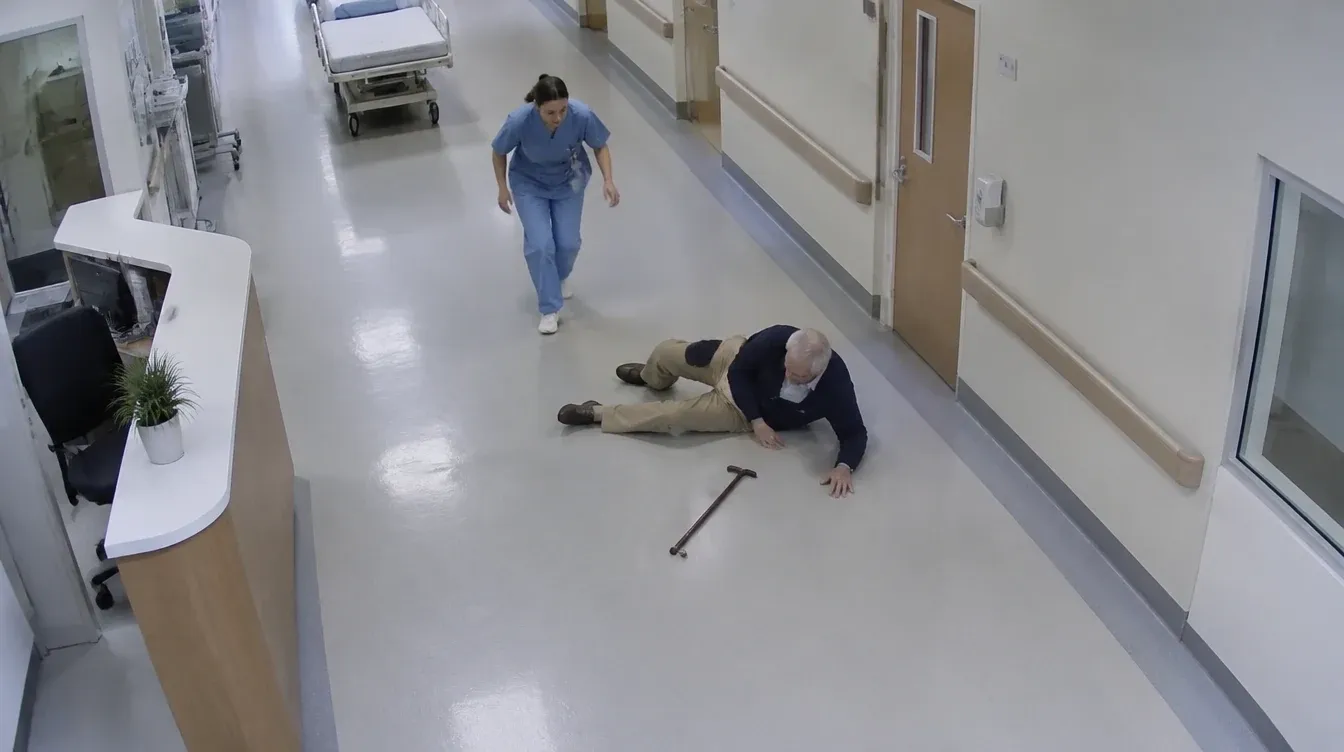
Nobody needs to be watching that camera. The AI follows every camera, 24 hours a day, and alerts when a person stays on the floor beyond the hospital profile time.
It shows whether the fall was seen, whether the person got up, whether they are still and whether a staff member came to help.
They can be marked as exclusion zones, so a patient lying where they should be does not raise an alarm.
Evidence can be video, a blurred body with the skeleton or the skeleton only, set per camera and per zone.
Log-only mode keeps the alarms without notifying anyone, so the hospital can measure detections and false alarms per camera on site.
Alarms by location, false alarms by cause and time until someone takes the alarm, with CSV export.
Falls are among the most common adverse events in inpatient care. Cutting time on the floor limits harm, and the report shows where falls concentrate.
One more alert in corridors and common areas, without changing the fall prevention protocol or rounding.
Video on the hospital's server, per-user permissions and skeleton-only evidence where policy requires it.
It works on the hospital's IP cameras through ONVIF and RTSP. The screen shows per camera where there is coverage and where people are too small.
Log-only and test modes let you tune zones and schedules before the alarm goes to staff.
When the hospital needs more than the released module, we develop the AI model as part of the project.
Nexa VMS was designed for AI to work on every camera, all the time, and bring the operator only what needs attention. It is not a VMS with AI on a few cameras.
How the AI VMS worksYes, when the body is visible in the image. The AI measures whether the person is lying down relative to the floor at that point and, with the pose package, the torso angle and head height. A body hidden by a bed or furniture is out of coverage.
No. The module detects a person on the floor, not bed exit. The bed is an exclusion zone. Needs inside the patient room are handled per project.
No. It does not diagnose, does not determine the cause of the fall, does not replace nursing supervision or patient monitoring equipment and does not call emergency services.
Video stays on the hospital's server, on your network, and per-user permissions define who can view live video, access recordings and export. In sensitive areas, evidence can be the skeleton only. The hospital decides where cameras go and follows its own privacy policy, including HIPAA where it applies.
It is the first version, for pilots, evaluated with simulated scenes and public videos, not yet with real hospital recordings. That is why we recommend starting in log-only mode with a trial license.
Download Nexa VMS, request a trial license and test the AI on your cameras or on recorded video. For larger projects, we provide an extended demo.
Pricing negotiated per project, competitive with the VMS on the market.
Company headquartered in the United States, with sales partners in other countries. Talk to the team: support@nexavms.io, reply within 24 hours.